Mario Carrion









Last time we used Azure Active Directory for authenticating real users, this time let’s do something similar but instead of doing it for real users let’s do it for Server Side authentication, basically allow one service authenticate with another one, server side, thanks to Azure Active Directory.
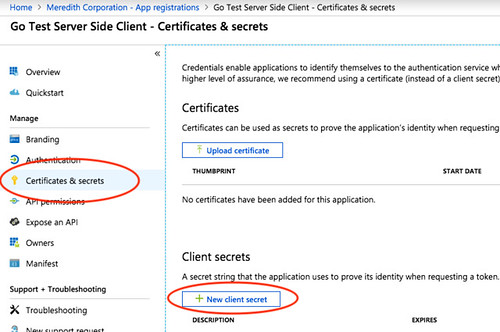
Application IDAzure Active Directory, there’s no need to input a Redirect URI, this is the clientCertificates & secrets section (on the left side), and add a New client secret save this value somewhere, this is the secretFor allowing everything to work we will need three things:
resource: the server Application (client) ID,client_id: the client Application (client) ID, andclient_secret: the client secret (value fromCertificates & secret).Take a look at the existing repository, the important bits are the following:
Service-to-service access token request workflow to request for posting the request to the server